Newline Interactive
Google ChromeOS OPS
Google ChromeOS OPS
Google Chromebox OPS Computer Upgrade your interactive display experience with a Chromebox OPS powered by AOPEN, a compact yet powerful solution that Upgrade your interactive display experience with a ChromeOS OPS powered by AOPEN, a compact yet powerful solution that seamlessly integrates with your Newline panel.
- Built for professional display projects where deployment logic matters as much as the product choice itself.
- Works best when mounting, compute, and room role are confirmed early.
- Designed to sit inside a cleaner commercial display workflow rather than as a one-off purchase.
- Part of the Google ChromeOS OPS line, which helps keep multi-room projects visually and operationally consistent.
Overview
Product overview
Google Chromebox OPS Computer Upgrade your interactive display experience with a Chromebox OPS powered by AOPEN, a compact yet powerful solution that Upgrade your interactive display experience with a ChromeOS OPS powered by AOPEN, a compact yet powerful solution that seamlessly integrates with your Newline panel.
Upgrade your interactive display experience with a Chromebox OPS powered by AOPEN, a compact yet powerful solution that seamlessly integrates with your Newline panel. Designed for effortless collaboration, engaging lessons, and impactful presentations, this ChromeOS-powered device transforms your interactive panel into a dynamic, all-in-one powerhouse. With Google Play Store support, you can install a wide range of apps to enhance functionality and customize your experience. Whether you need productivity tools, educational apps, or collaboration software, the Play Store offers countless options to meet your needs. This flexibility allows you to optimize your device for teaching, business meetings, or interactive presentations with ease. With seamless wireless casting, you can share content from any device, making collaboration effortless. Plus, remote device management is simplified through the Google Admin Console, ensuring easy oversight of your entire ChromeOS ecosystem.
Not found on official source
Installation notes: Not found on official source
Support and training: Online Knowledge Base and FAQs Contact Tech Support Meet the Newline Training Team
Project fit
Where this product belongs.
Google ChromeOS OPS line for professional collaboration and display projects.
- Confirm deployment role, accessories, and integration path before treating this as a final selection.
- Use matching software, compute, and mounting decisions so the room works cleanly after installation.
- Model references and configuration details should stay aligned through quoting and rollout.
- This product currently sits inside accessory and accessory workflows, so the surrounding package should support that role clearly.
Reference data
What to confirm before quoting.
Selection notes
Shortlist the full package, not just the screen.
- Confirm deployment role, accessories, and integration path before treating this as a final selection.
- Use matching software, compute, and mounting decisions so the room works cleanly after installation.
- Model references and configuration details should stay aligned through quoting and rollout.
- This product currently sits inside accessory and accessory workflows, so the surrounding package should support that role clearly.
Project matching
Related products for the same rollout.
 Commercial display
Newline STV Series Smart TV
Non-touch display for signage and business messaging.
View Product
Commercial display
Newline STV Series Smart TV
Non-touch display for signage and business messaging.
View Product
 Interactive display
Q Series High Performance Interactive Display Solution
Touch display for classrooms and meeting rooms.
View Product
Interactive display
Q Series High Performance Interactive Display Solution
Touch display for classrooms and meeting rooms.
View Product
 Interactive display
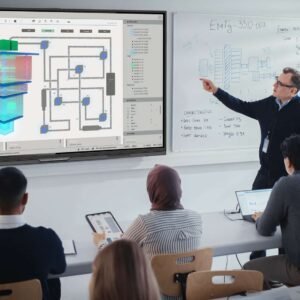
Q Ultra Series Google EDLA Certified Interactive Display
Touch display for classrooms and meeting rooms.
View Product
Interactive display
Q Ultra Series Google EDLA Certified Interactive Display
Touch display for classrooms and meeting rooms.
View Product
 Interactive display
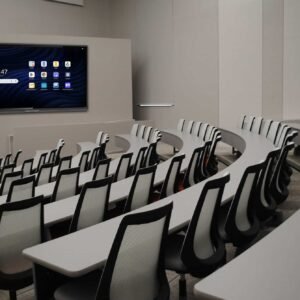
Q Ultra Elite Series Google EDLA Certified Interactive Display
Touch display for classrooms and meeting rooms.
View Product
Interactive display
Q Ultra Elite Series Google EDLA Certified Interactive Display
Touch display for classrooms and meeting rooms.
View Product
 Device management
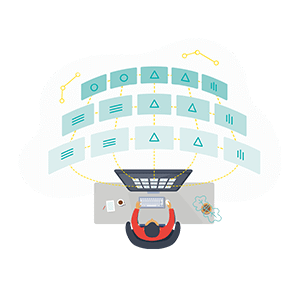
Newline Display Management
Fleet management for displays across multiple rooms.
View Product
Device management
Newline Display Management
Fleet management for displays across multiple rooms.
View Product
 Wireless casting
Newline Cast
Cable-free casting for faster room collaboration.
View Product
Wireless casting
Newline Cast
Cable-free casting for faster room collaboration.
View Product
 Cloud whiteboarding
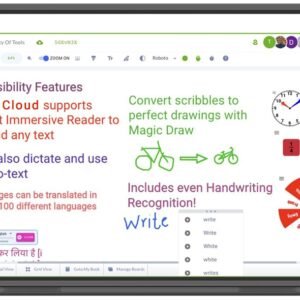
Newline Engage Cloud
Cloud whiteboarding for hybrid teaching and teamwork.
View Product
Cloud whiteboarding
Newline Engage Cloud
Cloud whiteboarding for hybrid teaching and teamwork.
View Product
 Digital signage software
Newline Signage Pro
Content control for signage networks and campaigns.
View Product
Digital signage software
Newline Signage Pro
Content control for signage networks and campaigns.
View Product
Compare nearby
Similar products in the same shortlist.
 Accessory
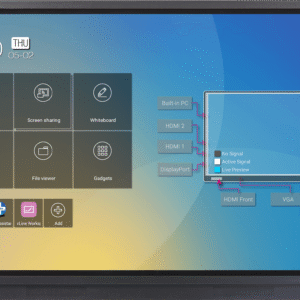
RS+ Series Interactive Touch Display
Essential add-on for installation and daily use.
View Product
Accessory
RS+ Series Interactive Touch Display
Essential add-on for installation and daily use.
View Product
 Accessory
NT+ Series Non-Touch Display
Essential add-on for installation and daily use.
View Product
Accessory
NT+ Series Non-Touch Display
Essential add-on for installation and daily use.
View Product
 Direct View LED
DV Premier+
Large-format LED for high-impact visual surfaces.
View Product
Direct View LED
DV Premier+
Large-format LED for high-impact visual surfaces.
View Product
Need project support?
We can help place this product inside the right room, rollout, and accessory package.
Use us to confirm deployment role, compatible accessories, and the cleanest shortlist before the project moves forward.