
Newline Interactive
Newline Broadcast
Newline Broadcast
Share your large screen to your audience's small screens for easier viewing - all with one button. Connect through the cloud and save time!
- Adds workflow value around displays by improving sharing, management, or collaboration behavior.
- Best chosen with the target room type and display fleet already defined.
- Useful when the project needs cleaner control rather than more hardware alone.
- Part of the Newline Broadcast line, which helps keep multi-room projects visually and operationally consistent.
Overview
Product overview
Share your large screen to your audience's small screens for easier viewing - all with one button. Connect through the cloud and save time!
Just tap the Broadcast button on the side of the display, and anyone, anywhere, on any device can see what’s on your screen in real time. No need to schedule sessions or use a complicated setup to share content. Wirelessly share content from your display through a solution that works on all screen sizes from iOS phones, tablets, to Chromebooks and laptops. One touch is all you need to start broadcasting your display’s content.
Newline is a one-stop shop for business. Our all-in-one
Installation notes: No need to manually install, Newline Broadcast comes already setup ready to go. Save time starting meetings and lessons – no complicated setup or installation required to get started. making it ideal for a wide range of applications including indoor
Support and training: Online Knowledge Base and FAQs Contact Tech Support Meet the Newline Training Team
Project fit
Where this product belongs.
Newline Broadcast line for professional collaboration and display projects.
- Start with the display fleet and room types, then choose the software layer that removes friction.
- Check licensing, device compatibility, and rollout scale before confirming the final package.
- The cleanest projects keep control, sharing, and management inside one deployment logic.
- This product currently sits inside wireless sharing workflows, so the surrounding package should support that role clearly.
Reference data
What to confirm before quoting.
Selection notes
Shortlist the full package, not just the screen.
- Start with the display fleet and room types, then choose the software layer that removes friction.
- Check licensing, device compatibility, and rollout scale before confirming the final package.
- The cleanest projects keep control, sharing, and management inside one deployment logic.
- This product currently sits inside wireless sharing workflows, so the surrounding package should support that role clearly.
Project matching
Related products for the same rollout.
 Commercial display
Newline STV Series Smart TV
Non-touch display for signage and business messaging.
View Product
Commercial display
Newline STV Series Smart TV
Non-touch display for signage and business messaging.
View Product
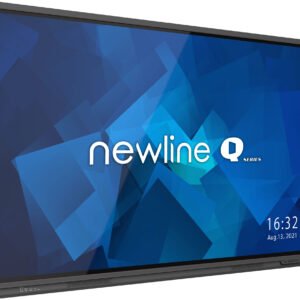 Interactive display
Q Series High Performance Interactive Display Solution
Touch display for classrooms and meeting rooms.
View Product
Interactive display
Q Series High Performance Interactive Display Solution
Touch display for classrooms and meeting rooms.
View Product
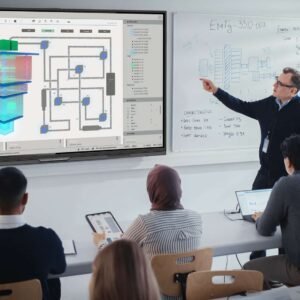 Interactive display
Q Ultra Series Google EDLA Certified Interactive Display
Touch display for classrooms and meeting rooms.
View Product
Interactive display
Q Ultra Series Google EDLA Certified Interactive Display
Touch display for classrooms and meeting rooms.
View Product
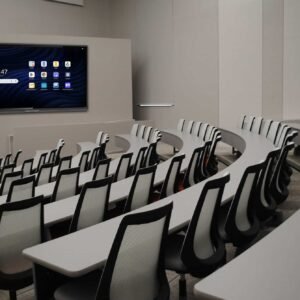 Interactive display
Q Ultra Elite Series Google EDLA Certified Interactive Display
Touch display for classrooms and meeting rooms.
View Product
Interactive display
Q Ultra Elite Series Google EDLA Certified Interactive Display
Touch display for classrooms and meeting rooms.
View Product
Compare nearby
Similar products in the same shortlist.
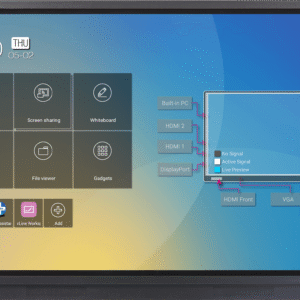 Accessory
RS+ Series Interactive Touch Display
Essential add-on for installation and daily use.
View Product
Accessory
RS+ Series Interactive Touch Display
Essential add-on for installation and daily use.
View Product
 Accessory
NT+ Series Non-Touch Display
Essential add-on for installation and daily use.
View Product
Accessory
NT+ Series Non-Touch Display
Essential add-on for installation and daily use.
View Product
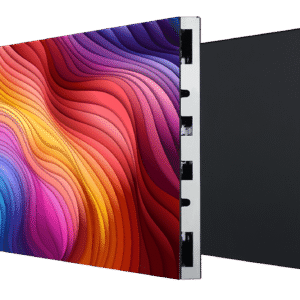 Direct View LED
DV Premier+
Large-format LED for high-impact visual surfaces.
View Product
Direct View LED
DV Premier+
Large-format LED for high-impact visual surfaces.
View Product
Need project support?
We can help place this product inside the right room, rollout, and accessory package.
Use us to confirm deployment role, compatible accessories, and the cleanest shortlist before the project moves forward.